Session 1: Working with Regreening App data - from on-ground data collection to insights
December 2026 | Live online | 90 minutes
How can data collected through the Regreening App be turned into useful insights for restoration monitoring and decision-making?
In this first session, we will work through a practical R notebook to download, explore and analyse project data collected through the Regreening App. Participants will learn a straightforward, reproducible workflow for downloading Regreening App data through the Data Reporting System, cleaning and analysing it in R using R Studio, and producing a clear, professional report with graphs and tables to communicate findings.
The session is designed as a guided practical and the instructor will work through the notebook step by step while participants follow along and run the code on their own computers. Moderators will be available throughout the session to respond to questions and help troubleshoot issues.
Register for the seminar series and join us for four practical sessions on using R and spatial data to support restoration decision-making in the Great Green Wall.
What you will learn
The session will cover the following:
- Regreening App - what it is, how data is collected and how to download data through the Data Reporting System (DRS)
- Explore the structure of the downloaded data and understand the information available
- Prepare and organise the data for analysis
- Carry out simple summaries and analyses of restoration project information
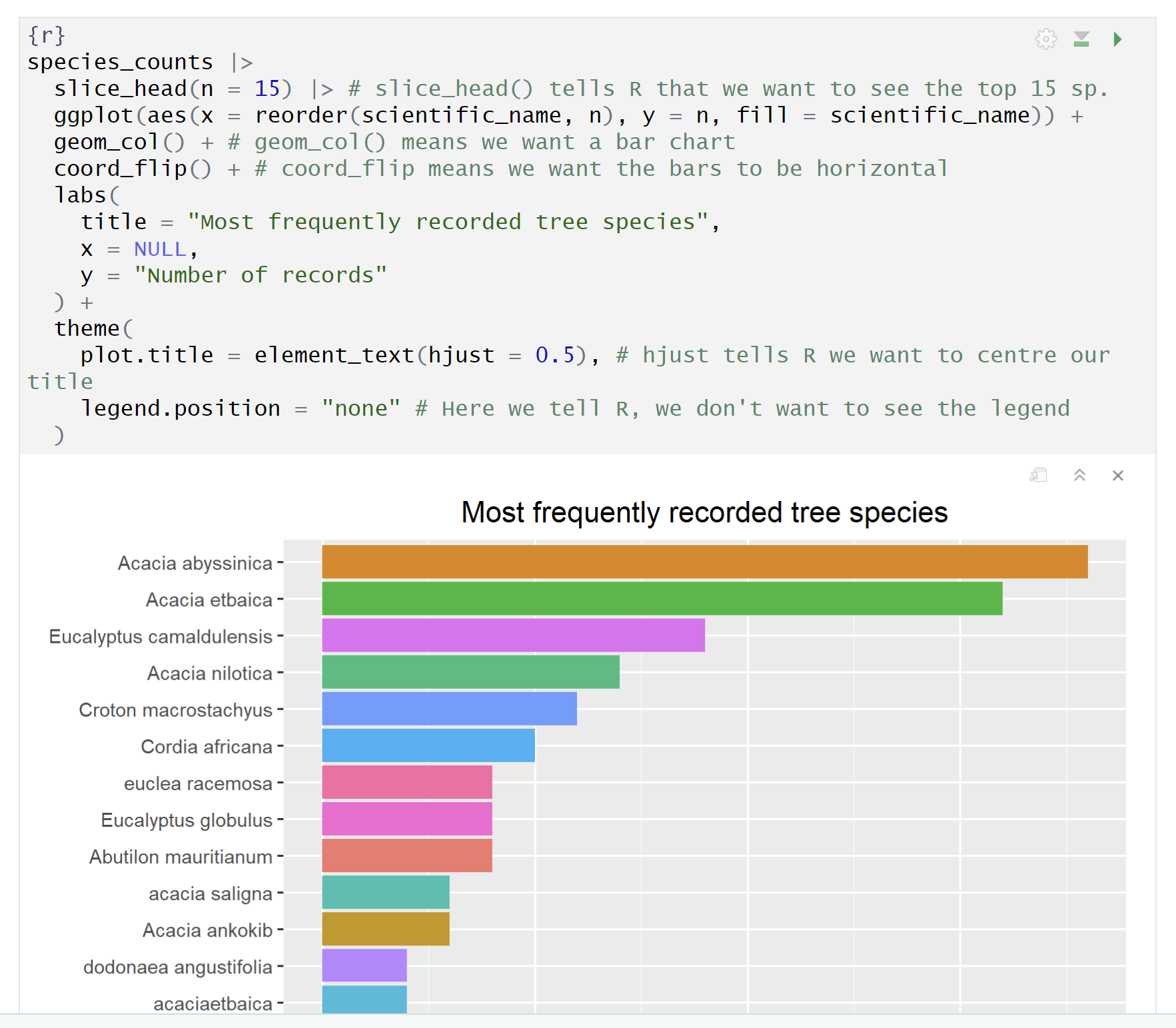
- Create clear graphs to explore and communicate findings
- Generate a reproducible report using Quarto
The notebook will explain each step and provide code that participants can adapt for their own project data.
Who should attend?
This session is particularly recommended for people who are already familiar with the Regreening App and the types of information it collects. Familiarity with the app will make it easier to understand the data and follow the examples.
However, you do not need previous experience with the app or R programming to participate. If you are less familiar with the Regreening App or its data, you are still welcome to join and learn as you go. Moderators will be available to help with questions during the practical.
Session format
The session will run for 90 minutes:
- Guided notebook walkthrough (approximately 60 minutes): We will work through the notebook together. Participants can run each code section on their own computers and follow the analysis step by step.
- Parallel Q&A and troubleshooting: Moderators will monitor questions throughout the practical and help participants work through technical or analytical difficulties.
- Discussion and open questions (approximately 30 minutes): We will finish with time to discuss the workflow, consider how it could be used with participants’ own project data, and address any remaining questions.
Getting ready for the session
To follow along with the practical, please prepare the following:
- A computer with a reliable internet connection
- R and RStudio installed on your computer
- The session notebook, downloaded before the live session
- Familiarity with the Regreening App is recommended, but not essential
If you have not used R or RStudio before, do not worry. We will explain the steps needed for the practical, and setup guidance can be shared ahead of the session.
1. Download the notebook
Download the practical notebook below and save it somewhere you can easily find. The notebook is a Quarto .qmd file that you will open and run in RStudio.
2. Open the notebook in RStudio
Open RStudio on your computer.
Then:
- Select File > Open File.
- Find and select the
.qmdnotebook you downloaded. - The notebook will open in the RStudio editor.
- Follow the instructions at the beginning of the notebook and check that you can run an R code cell.
If you are new to RStudio, you can still join the session and follow the instructor’s walkthrough. We recommend installing R and RStudio in advance so that you have time to resolve any setup issues. For instructions on installing R and RStudio, see Module 3.2 of the Evidence Hub.
3. Explore the preparatory resources
The following resources will help you become familiar with the Regreening App and the data used in the practical. We recommend reviewing them before the session, particularly if you have not used the app before.